Settings
The Settings tab lets you control where your custom product sort order is applied.
Sorting Scope
Go to Admin → Rearrange Products → Settings to configure the sorting scope.
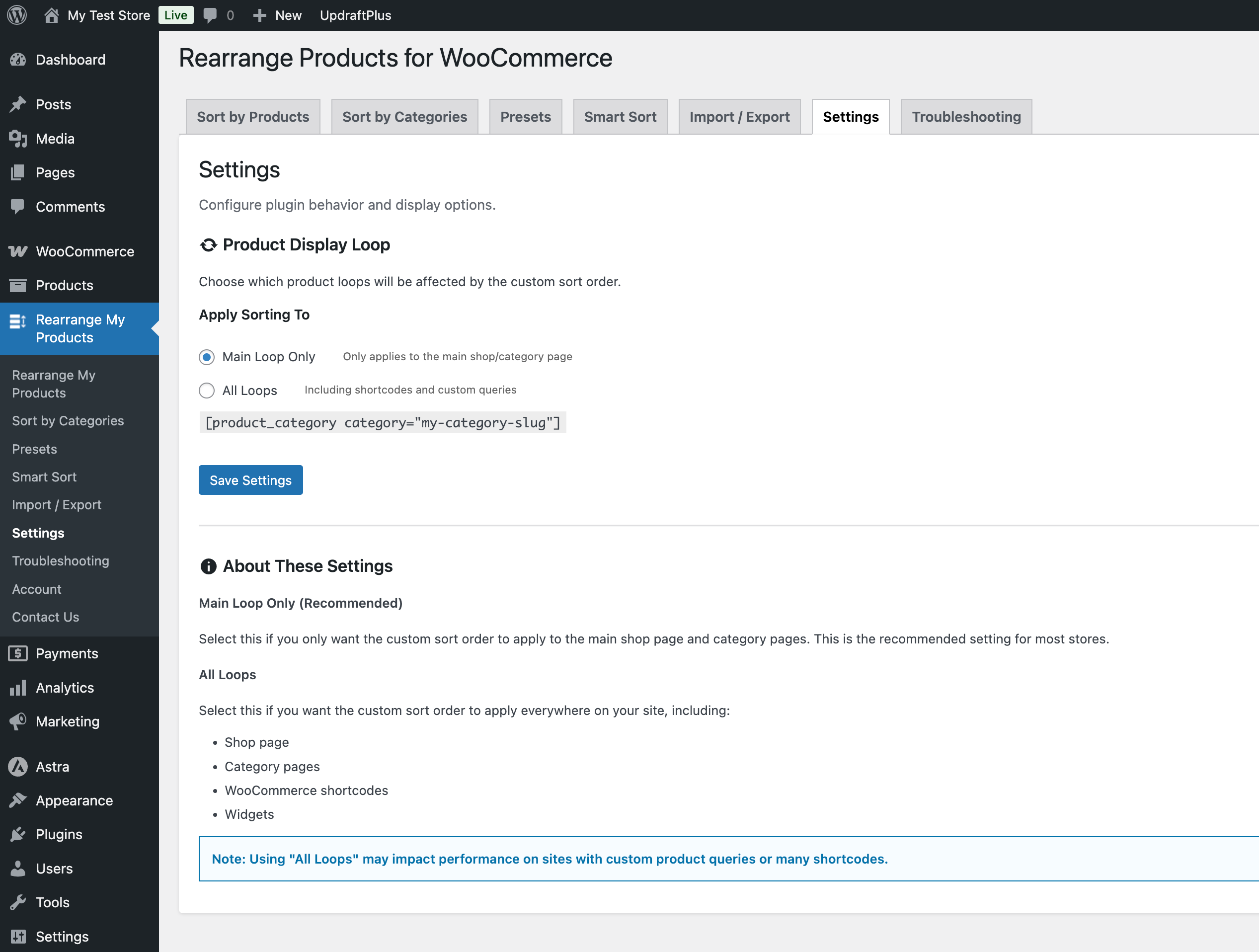
Main Loop Only (Default)
Custom sort order applies only to the main product loop on shop and category pages. This is the standard WooCommerce shop page, category archive pages, and the main product grid.
Choose this when:
- You only need sorting on the main Shop and category pages
- You have product widgets or blocks in sidebars/footers that should use their own sorting
- You want to avoid conflicts with other plugins that display products
All Loops (Including Shortcodes)
Custom sort order applies to all product queries, including:
- Main shop and category pages
- WooCommerce shortcodes like
[products]and[product_category] - Product blocks and widgets
Choose this when:
- You use WooCommerce shortcodes to display products on custom pages
- You want your custom sort order to apply everywhere products are shown
- You're using Preset Shortcodes (Pro)
warning
Enabling "All Loops" may affect product display in widgets, page builder modules, or other plugins that query products. If you notice unexpected behavior, switch back to "Main Loop Only".
Saving Settings
After changing the sorting scope, click Save to apply. The change takes effect immediately on the frontend.