Smart Sort
Pro Feature
Smart Sort is available in Rearrange Products for WooCommerce Pro.
Smart Sort lets you automatically sort your entire product catalog (or a specific category) based on criteria like best-selling, price, ratings, and more — with a single click. No manual dragging required.
Available Sort Criteria
| Criteria | Description |
|---|---|
| Best Selling | Products with the most sales appear first |
| Most Rated | Products with the best reviews and ratings appear first |
| Price: Low to High | Cheapest products first |
| Price: High to Low | Most expensive products first |
| In Stock First | Available products appear before out-of-stock items |
| Latest | Newest products (by publish date) appear first |
| Oldest | Oldest products appear first |
| On Sale | Products currently on sale appear first |
| Alphabetical (A-Z) | Sort by product name, A to Z |
| Alphabetical (Z-A) | Sort by product name, Z to A |
| Shuffle | Randomize the product order |
How to Use Smart Sort
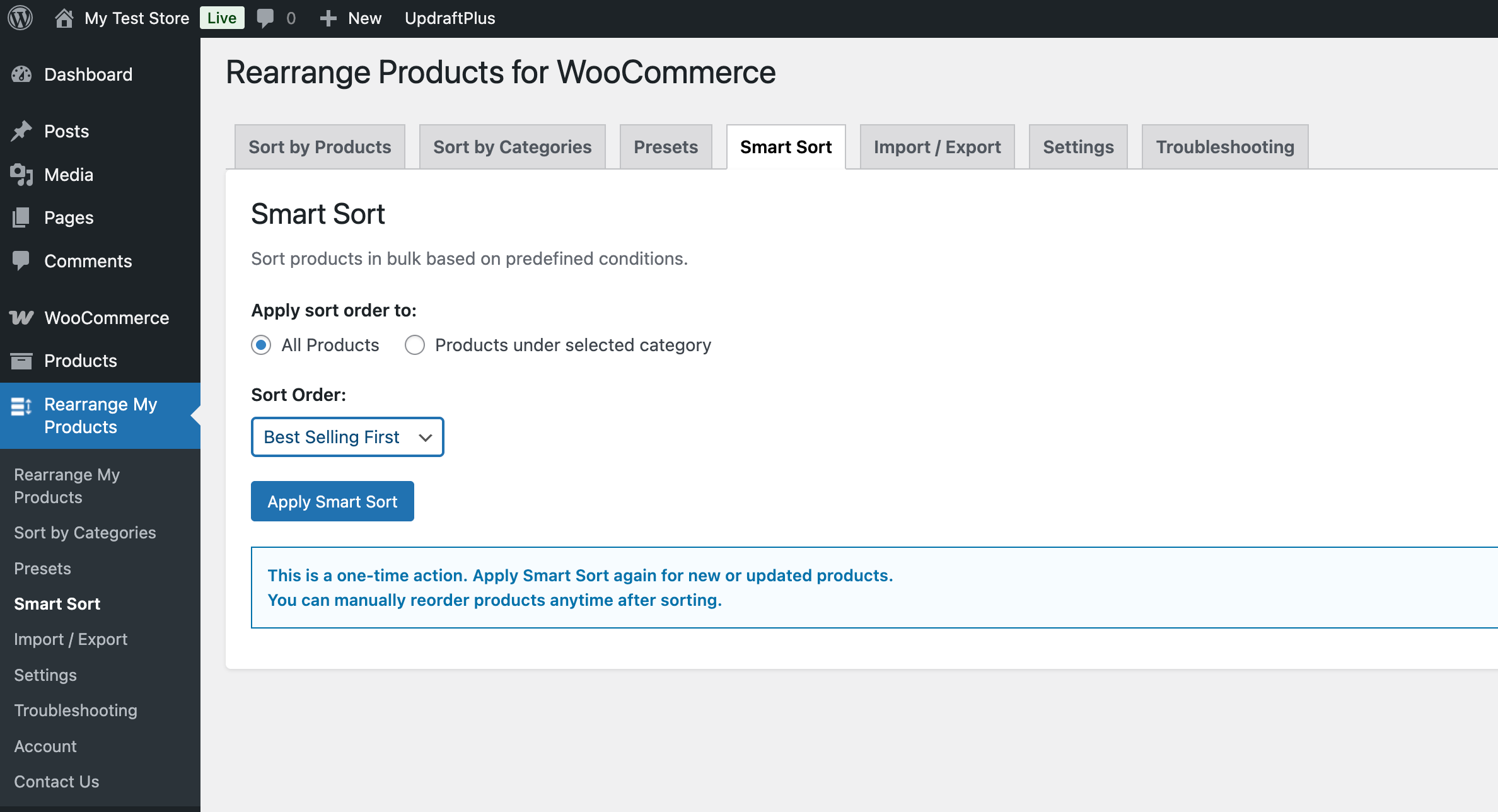
- Go to Admin → Rearrange Products
- Click the Smart Sort tab
- Choose a sort criteria from the list
- Choose the scope:
- All Products — Applies the sort to your entire catalog (global order)
- Specific Category — Select a category to sort only its products
- Click Apply
- Review the result and click Save if you're satisfied
Use Cases
- Promote best sellers: Use "Best Selling" to automatically feature your top products
- Seasonal refresh: Use "Shuffle" to give your shop a fresh look
- Sale events: Use "On Sale" during promotions to push discounted items to the top
- New arrivals: Use "Latest" to highlight recently added products
- Inventory management: Use "In Stock First" to avoid showing out-of-stock items prominently
Tips
- Smart Sort replaces the current sort order — it doesn't append to it
- After applying Smart Sort, you can still manually drag individual products to fine-tune the order
- Combine Smart Sort with Sort Presets to save different arrangements for different occasions