Global Product Sorting
The Sort Products tab lets you set the display order for all products across your entire shop. This order applies to the main Shop page and anywhere products are listed without a category filter.
How It Works
When you save a global sort order, the plugin updates each product's menu_order value in the database. WooCommerce uses this value when "Default sorting" is selected, placing products with lower menu_order values first.
Sorting Products
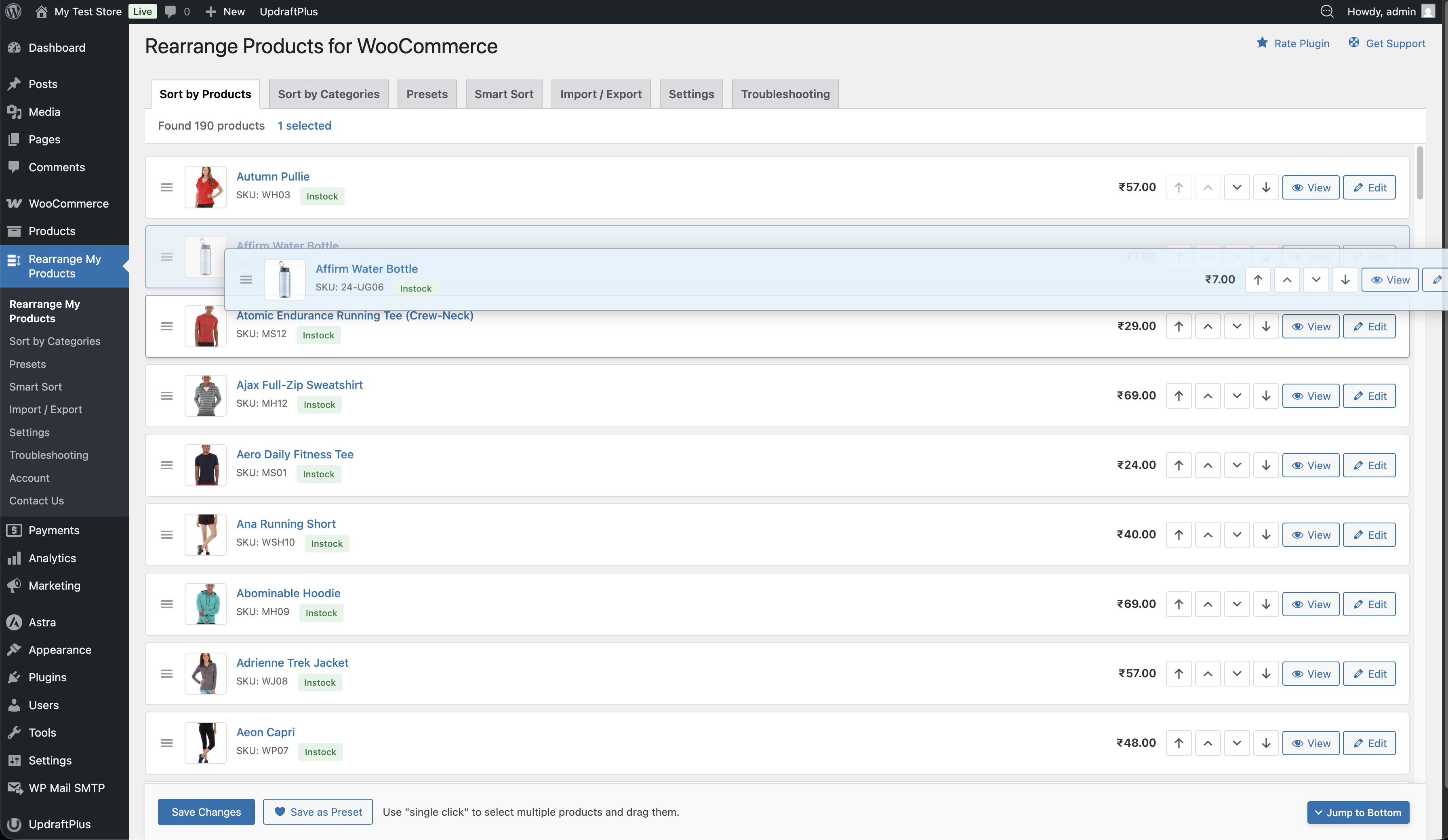
- Go to Admin → Rearrange Products
- You'll see the Sort Products tab with all your products listed
- Drag and drop products to reorder them
- Click Save when you're happy with the order
Moving Products Quickly
Each product has arrow buttons for quick movement:
| Button | Action |
|---|---|
| ⬆ Move to Top | Moves the product to the very top of the list |
| ↑ Move Up | Moves the product up by one position |
| ↓ Move Down | Moves the product down by one position |
| ⬇ Move to Bottom | Moves the product to the very bottom of the list |
The move buttons are context-aware — "Move to Top" is disabled when a product is already at the top, and "Move to Bottom" is disabled when it's already at the bottom.
Pagination
If you have many products, they load in pages. Use the page navigation controls at the top to move between pages. Products are loaded in chunks for performance.
Important Notes
- Global sorting affects all product listings that use WooCommerce's default sorting
- The sort order persists even if you deactivate the plugin (because it's stored in the product's
menu_orderfield) - Deleting the plugin will not reset the menu_order values — your last sort order remains
- If a category has its own custom sort order, that will take priority on category pages