Import & Export
Pro Feature
Import & Export is available in Rearrange Products for WooCommerce Pro.
Move your product arrangements between WooCommerce sites or create backups of your sort orders. Products are matched by SKU, so arrangements transfer correctly even when product IDs differ between sites.
Exporting
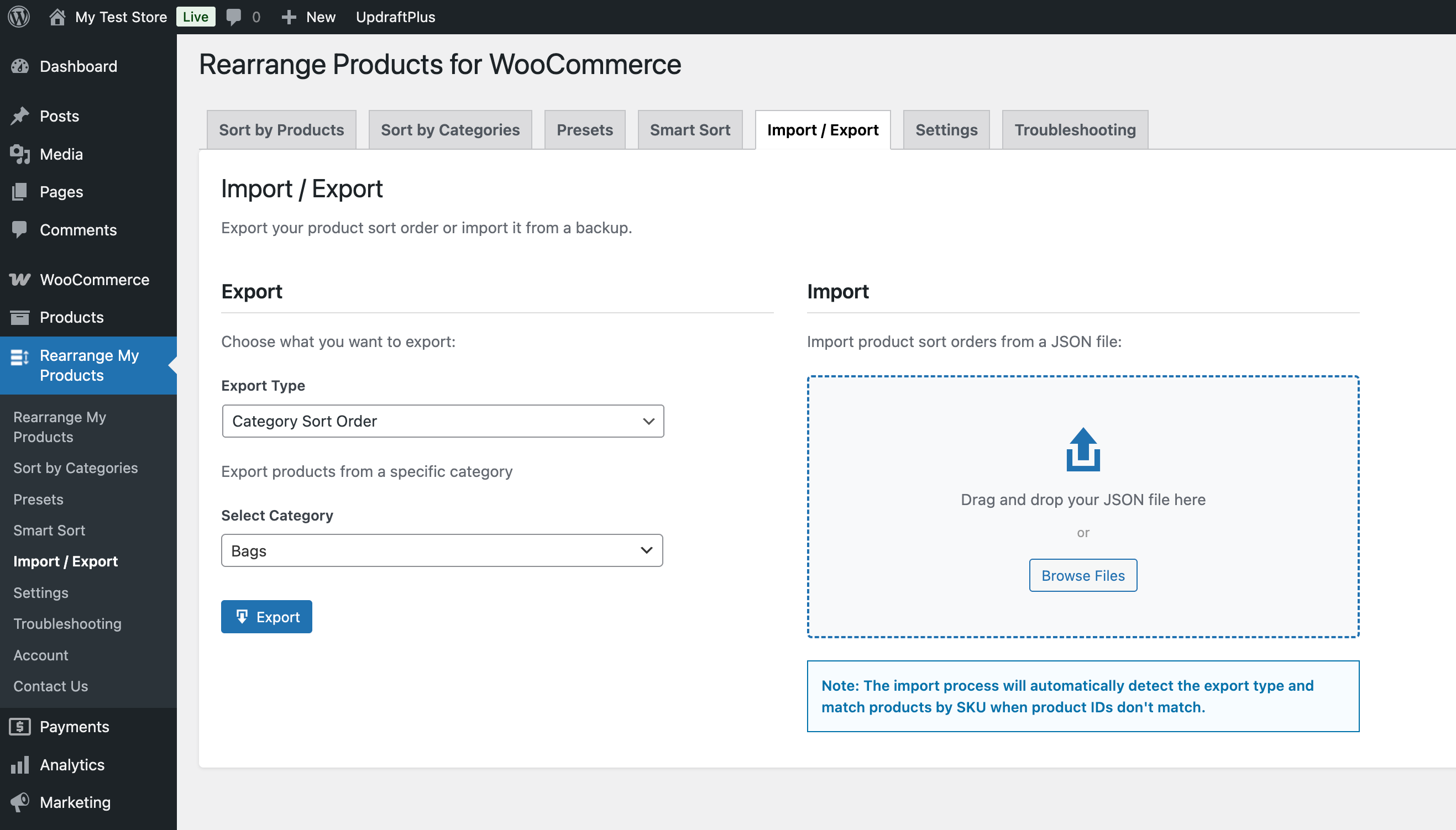
- Go to Admin → Rearrange Products
- Click the Import / Export tab
- Choose what to export:
- Global sort order — The main shop page product order
- Category-specific sort orders — Per-category product orders
- Presets — Saved sort preset arrangements
- Click Export
- A JSON file will be downloaded to your computer
Importing
- Go to Admin → Rearrange Products → Import / Export
- Click Import
- Select a previously exported JSON file
- The plugin will process the file and match products by SKU
- Review the import report showing:
- Matched products — Successfully mapped by SKU
- Skipped products — SKU not found on this site
- Total processed — Overall count
SKU Matching
Import/Export uses product SKUs (not IDs) to match products between sites. This means:
- Products must have SKUs assigned for the import to work
- Products without SKUs will be skipped during import
- The same SKU must exist on both the source and destination site
File Limits
- Maximum file size: 10 MB
- File format: JSON only
Use Cases
- Staging to production: Set up your product order on a staging site, export it, and import on production
- Site migration: Moving to a new domain? Export your arrangements and import them on the new site
- Backups: Export your current arrangements before making major changes, so you can restore them if needed
- Multi-site management: Maintain consistent product ordering across multiple WooCommerce stores