Multi-Select & Drag
You can select multiple products and move them together as a group, saving time when rearranging large catalogs.
How to Multi-Select
- Click on a product to select it — it will be highlighted
- Click on additional products to add them to the selection
- A selection counter shows how many products are currently selected
- Click a selected product again to deselect it
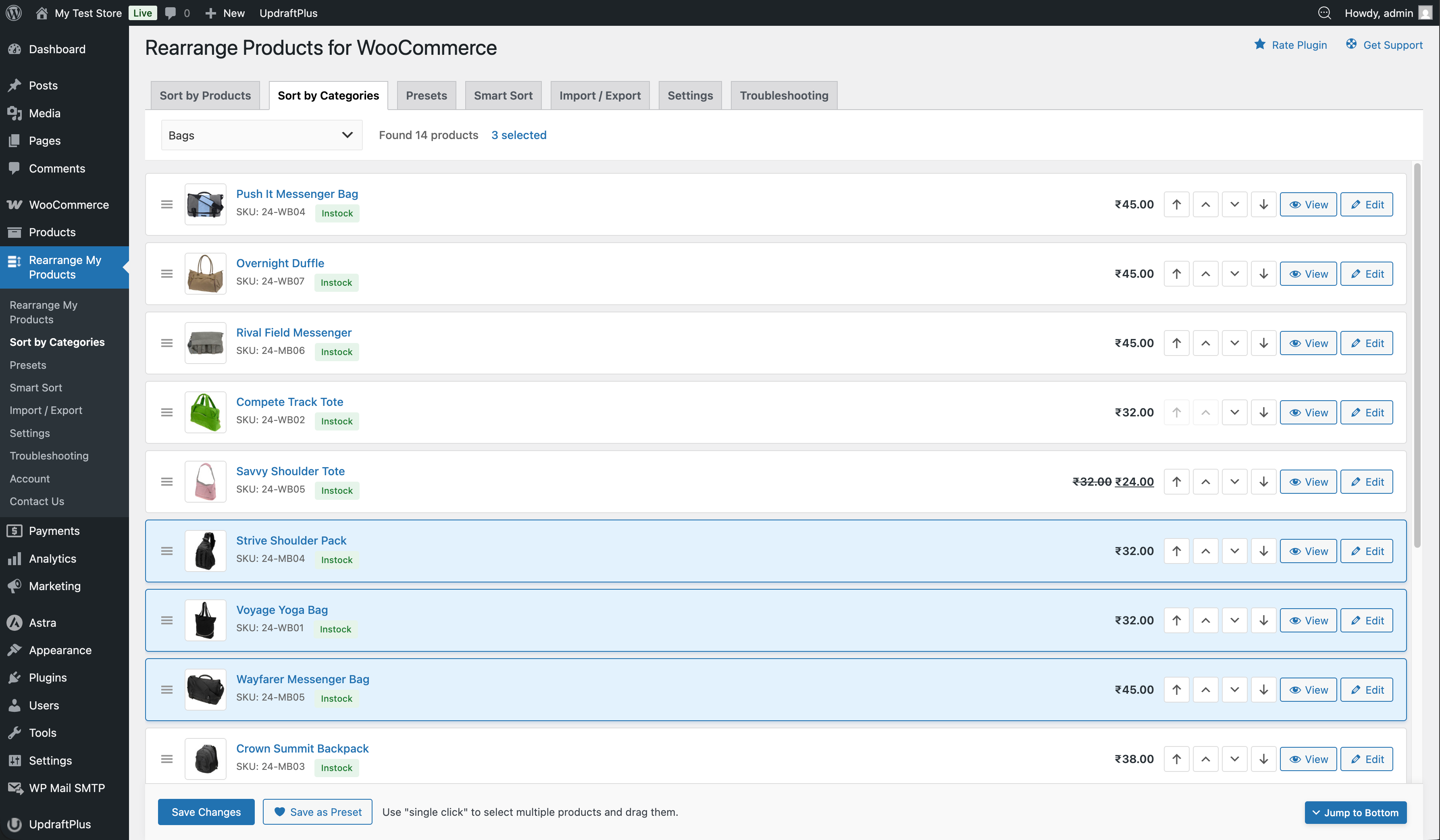
Moving Selected Products
Once you've selected multiple products:
- Drag any selected product to move the entire group to a new position
- All selected products will move together, maintaining their relative order within the group
Tips
- Multi-select works on both the Sort Products and Sort by Categories tabs
- You can combine multi-select with the move buttons (Top, Up, Down, Bottom) to quickly reposition groups
- Click anywhere on a product row to toggle its selection
- There is no limit to how many products you can select at once